4
Free
SHAREit
Your all-in-one file sharing solution

View an ad to download for free
DRS Microsoft 365 Backup Tool is a utility designed to help users create secure copies of Microsoft 365 data and store them in different file formats or local storage locations. The software provides a streamlined approach for protecting business and personal information contained within cloud-based accounts. By offering a centralized interface, it enables organizations, IT administrators, and individual users to manage data preservation tasks efficiently.
The application supports the extraction of mailbox content from Microsoft 365 accounts, including emails, contacts, calendars, tasks, journals, and other associated items. Users can select specific accounts or process multiple mailboxes depending on their requirements. This flexibility makes the solution suitable for both small-scale and enterprise-level environments.
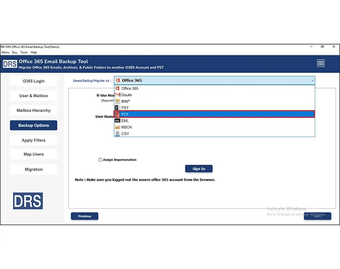
One of the key capabilities of the software is data export. Mailbox information can be saved in a variety of commonly used file formats, allowing access to information outside the Microsoft 365 ecosystem. This feature is useful for archival purposes, migration projects, compliance requirements, and long-term data retention strategies. Users can choose the preferred output format based on compatibility and organizational needs.
The tool includes filtering options that help narrow down the content being processed. Date-based filters allow users to select information from a particular period, reducing storage consumption and simplifying data management. This functionality is beneficial when only specific records are required for compliance, auditing, or internal review purposes.
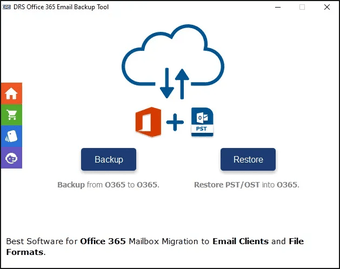
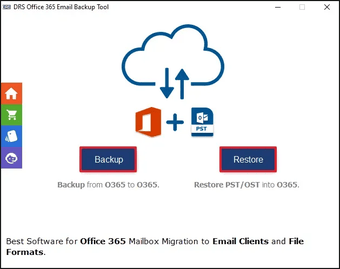
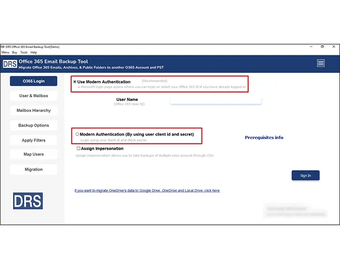
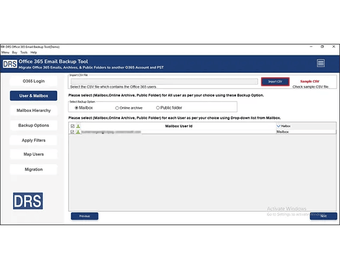
A user-friendly interface helps simplify the overall experience. The software is designed to guide users through the process with minimal technical complexity. Account authentication, mailbox selection, export configuration, and destination settings can be managed through clearly organized menus and options. This approach makes the application accessible to both technical professionals and less experienced users.
For organizations handling multiple accounts, the software provides options for processing several mailboxes within a single workflow. This capability can help reduce administrative effort and improve efficiency when managing larger Microsoft 365 environments. Users can monitor progress throughout the operation and review status information during execution.
The application also supports maintaining the original structure of mailbox data during export. Folder hierarchies, message attributes, and related metadata are preserved whenever possible, helping ensure consistency between source and destination data. This can be particularly useful during migration, auditing, or archival activities.
Security remains an important consideration when handling business communications and organizational records. The software uses Microsoft 365 authentication methods to access account data and process selected information. Users remain in control of storage destinations and export configurations throughout the operation.
Another practical feature is the ability to save data to local systems for offline access. This can help organizations maintain copies of important information independent of cloud availability. Having locally stored records may assist with business continuity planning, internal governance policies, and data retention requirements.
The software can be used in various scenarios, including mailbox archiving, organizational data preservation, account management projects, migration preparation, compliance initiatives, and disaster recovery planning. By supporting multiple export options and flexible processing controls, it provides a versatile solution for managing Microsoft 365 information outside the cloud environment.
Demo
26.0.4
Windows
Windows 3
English
8
229.09 MB
View an ad to download for free
Have you tried DRS Softech Microsoft 365 Backup Tool? Be the first to leave your opinion!
Add review